Reduce Computer Mouse Strain Really Means
Why Reduce Computer Mouse Strain for Comfort
How to Reduce Computer Mouse Strain Daily
Quick Overview: What You’ll Get From This Post
Many people use a computer mouse every day without noticing how much strain quietly builds up in their fingers, hands, shoulders, and neck.
However, what begins as a small ache often becomes a full chain of tension that affects comfort, energy, and even concentration.
This post explains how the Reduce Computer Mouse Strain methods can relieve pressure from the fingertips to the head with simple five-minute resets. You will learn why the mouse often acts like a hidden trap, how each part of the upper body compensates for the next, and what daily movements quickly restore comfort. By the end, you’ll know how to interrupt strain before it harms comfort, energy, or productivity for the long term.
Many people think mouse discomfort starts in the wrist.
However, the first signals usually begin much earlier.
They often begin in the fingers.
A mouse asks the fingers to repeat tiny movements for long periods.
Clicking becomes constant.
Grip becomes unconscious.
The thumb often braces more than people realise.
Because these movements are small, tension builds quietly.
At first, it feels harmless.
Later, the fingers begin to stiffen.
The thumb loses softness.
The hand starts holding tension even when away from the desk.
This is where the real problem begins.
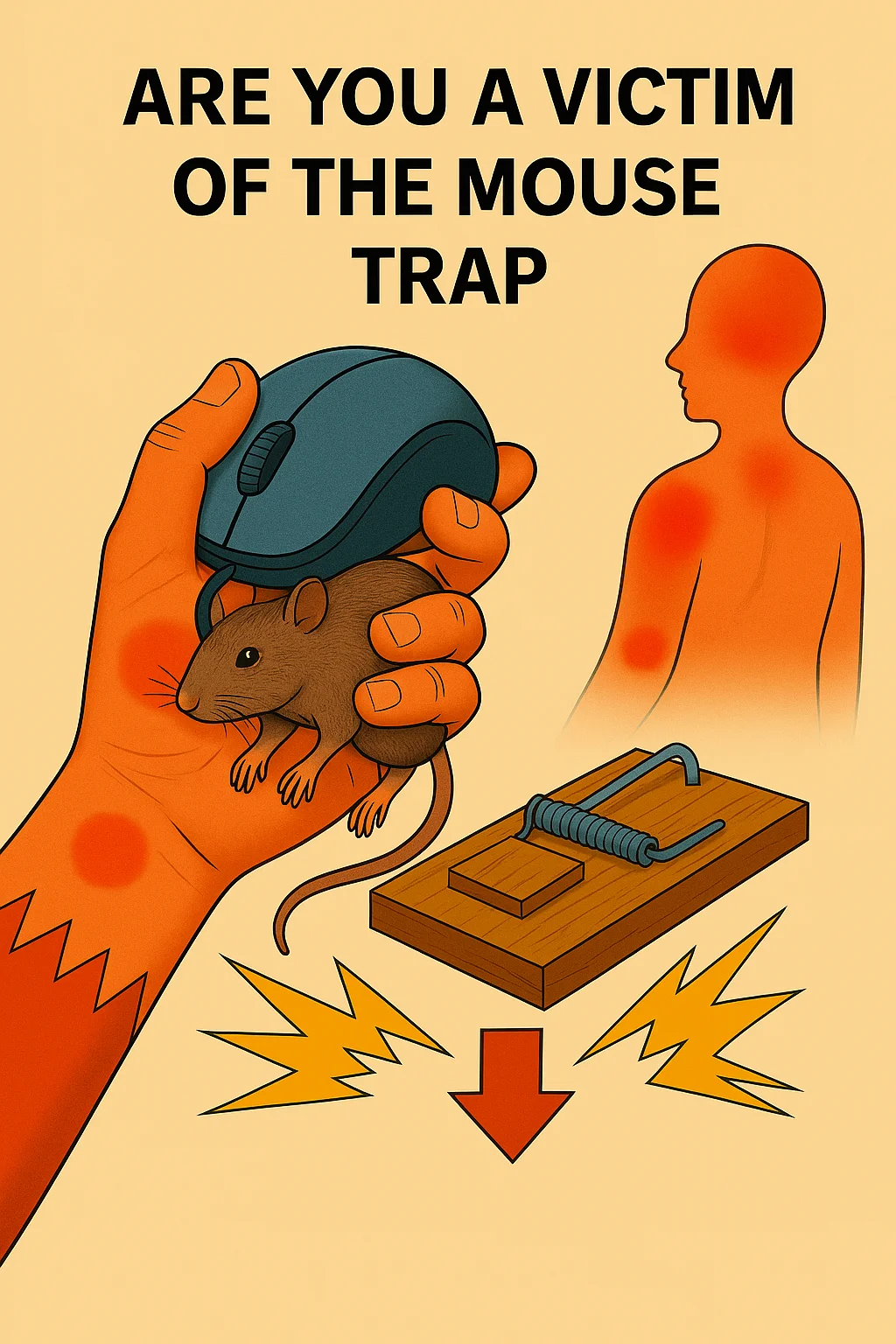
The mouse is not simply a tool.
It can become a trap.
How Reduce Computer Mouse Strain in Fingers
The hand adapts to one position.
The wrist fixes itself in one angle.
The forearm begins supporting unnecessary effort.
As a result, the strain moves upward.
What starts in the fingertips often reaches the shoulder.
Eventually, the neck joins in.
Then the concentration drops.
Energy falls.
Head pressure may appear in the afternoon.
That full chain matters because every section of the upper body depends on the one below it.
This is why reducing computer mouse strain must begin early.
Relief is not only about the wThe entire chain is the real focus for relief. chain.
Fortunately, a small movement restores comfort quickly.
Fingers and Thumb: Where Mouse Strain Begins
The fingertips perform thousands of tiny actions daily.
Clicking appears effortless.
Yet each click uses repetitive tendon activity.
Over hours, those repetitions accumulate.
The thumb often suffers first.
Why?
Because it constantly stabilises the side grip.
That side pressure rarely stops while working.
As a result:
- Thumb base tightens
- Finger joints feel stiff.
- Clicking becomes harder
- Grip stays active even at rest.
Many people notice the thumb feels weak later in the day.
Others feel stiffness in the small finger when opening jars or holding cups.
This is an early-stage overuse computer-mouse strain relief that starts at the fingers and thumb.n here.
Five-Minute Finger and Thumb Relief
- Open the hand wide for five seconds.
- Close gently without gripping.
- Slowly touch your thumb to each fingertip.
- Repeat ten times
- Shake the hand loose.
Rotate your thumb in gentle circles.
Slow movement restores blood flow.
This softens the small tendons quickly.
Often, relief appears within minutes.
Hand: The Hidden Grip Problem
The hand rarely relaxes fully while using a mouse.
Even when movement stops, grip often remains active.
This constant low-level holding creates fatigue.
Because the palm contains many small muscular structures, prolonged gripping reduces circulation.
The hand then feels tired or stiff, and may lose flexibility or coordination, key signs of early overload.
Later signs appear:
- Palm tightness
- Reduced dexterity
- Difficulty opening fingers fully
- Small cramps after typing
Simple Hand Movements Reduce Computer Mouse Strain
A mouse encourages one repeated hand shape.
That repeated shape teaches the nervous system to hold tension.
Therefore, the hand may stay partially contracted even after work ends.
To Reduce Computer Mouse Strain, the hand must repeatedly open and close.
Five-Minute Hand Reset
Place your hand flat on the table.
Gently spread each finger apart.
Slowly lift one finger at a time.
Then rotate the wrist while keeping fingers soft.
This interrupts grip memory.
Simple opening restores hand comfort quickly.
Wrist: The First Place People Notice Pain
The wrist is usually the first to take the blame.
However, the wrist often reacts to overload from the fingers and hands.
A mouse keeps the wrist slightly extended for long periods.
This reduces natural freedom.
When freedom reduces, pressure increases.
Especially through:
- Tendons
- Small joint spaces
- Nerve pathways
Wrist Relief Helps Reduce Computer Mouse Strain
That is why many people notice tingling.
Others feel warmth or heaviness.
The wrist often becomes sensitive because everything above and below is already compensating.
To Reduce Computer Mouse Strain, the wrist needs movement in every direction.
Five-Minute Wrist Relief
Lift the forearm off the desk.
Rotate the wrist slowly in both directions.
Then flex down gently.
Then lift upward gently.
No force.
Only smooth movement.
Finally, shake the hand loose again.
This often restores immediate comfort.
Forearm: The Silent Tension Carrier
The forearm usually carries hidden effort.
Every click and grip travels here.
Because the forearm muscles control finger action, they often overwork without obvious pain.
This creates heaviness.
Many people feel:
- Tightness when lifting cups
- Fatigue near the elbow
- A pulling sensation while gripping
Forearm Tension Builds Computer Mouse Strain
Forearm tension matters because it influences the elbow and shoulder next.
If ignored, the whole chain stiffens.
To Reduce Computer Mouse Strain, Forearm Rotation Matters.
Five-Minute Forearm Release
Hold your arm forward.
Turn your palm up slowly.
Then slowly turn your palm downward.
Repeat this movement twenty times.
Then, massage lightly from wrist toward elbow.
This restores circulation quickly.
Upper Arm: Where Effort Starts Travelling Upward
Once the forearm overworks, the upper arm begins helping.
This often happens unconsciously.
The elbow stops hanging naturally.
The upper arm begins floating slightly.
That means extra muscular effort continues all day.
This causes fatigue in the biceps and triceps.
Often people feel:
- Arm heaviness
- Tired lifting sensation
- Slight elbow stiffness
Shoulder Pressure Follows Computer Mouse Strain
Because the mouse sits to one side, the upper arm often holds slight abduction all day.
That is enough to create overload.
To Reduce Computer Mouse Strain, let the upper arm fully hang between tasks.
Five-Minute Upper Arm Reset
Stand up straight.
Let both arms hang by your sides.
Gently swing your arms forward and back.
Circle your shoulders lightly.
The upper arm immediately unloads when hanging freely.
Shoulder: Where Mouse Tension Becomes Structural
The shoulder often carries more strain than people realise.
However, because shoulder tension builds gradually, many people only notice it once stiffness becomes constant.
A mouse encourages one arm to stay slightly forward for long periods.
That small forward reach seems harmless.
Yet over hours, the shoulder begins holding itself in a protective position.
The shoulder blade moves less freely.
The upper trapezius begins to take on an extra load.
The chest slowly tightens.
As a result, the shoulder no longer rests naturally.
This often feels like:
- A dull ache near the top of the shoulder
- Tightness between the shoulder blades and the spine
- Fatigue after short periods at the desk
- Reduced ease when lifting the arm overhead
Because the mouse is always slightly offset to one side, one shoulder is usually more dominant in the tension pattern.
That asymmetry matters.
It changes how the neck supports the head.
It also alters breathing.
To Reduce Computer Mouse Strain, shoulder movement must become regular throughout the day.
Five-Minute Shoulder Relief
Sit upright or stand with a relaxed posture.
Slowly lift both shoulders upward.
Then release them completely.
Repeat ten times.
Next, circle the shoulders backwards in large, slow circles.
Then let the arms hang naturally.
Finally, gently squeeze the shoulder blades together for 5 seconds.
Release fully.
This restores shoulder blade movement and quickly reduces accumulated desk tension.
Neck: The Point Where Mouse Strain Changes Everything
The neck rarely begins the problem.
However, it often becomes the place where people finally feel the strain clearly.
Why?
Because once the shoulder tightens, the neck starts compensating.
A tight shoulder reduces the range of motion in the upper spine.
Therefore, the neck begins doing more stabilising work than it should.
At the same time, screen focus encourages the head to move forward.
Forward head position dramatically increases neck effort.
Even a small forward shift adds constant load.
That load often creates:
- Neck stiffness in the afternoon
- Tightness at the base of the skull
- Reduced turning range
- A feeling of carrying the head rather than balancing it
Neck Tightness Signals Computer Mouse Strain
Many people then assume the neck itself is the problem.
However, the neck is often simply responding to the full mouse chain below it.
Fingers, wrist, forearm, upper arm, and shoulder all feed upward.
To Reduce Computer Mouse Strain, the neck must receive relief without force.
Five-Minute Neck Relief
Sit tall.
Slowly turn your head to the left.
Pause.
Return your head to the centre.
Slowly turn your head to the right.
Pause again.
Gently lower your chin toward your chest.
Hold for three calm breaths.
Finally, imagine the crown of the head lifting lightly upward.
No stretching.
Only length.
This often softens neck effort within minutes.
Head: When Mouse Strain Affects Focus and Energy
Once neck tension persists, the head often begins to react, too.
This is where many people notice something deeper.
They feel mentally tired sooner.
Concentration drops earlier in the day.
A mild pressure develops behind the eyes or forehead.
This happens because muscular tension affects breathing and circulation patterns.
A tight neck often reduces natural rib movement.
Reduced rib movement shortens breathing.
Short breathing reduces oxygen efficiency slightly.
The result can feel like:
- Afternoon heaviness
- Eye fatigue
- Reduced focus
- Mild headache patterns
Head Fatigue Often Follows Mouse Strain
This is why the mouse becomes more than a hand issue.
It becomes a productivity issue.
The body is spending energy managing tension.
That energy no longer supports thinking clearly.
To Reduce Computer Mouse Strain, the head must stop being held by a tense neck.
Five-Minute Head Relief
Close your eyes briefly.
Take three sideways breaths into the ribs.
Let the jaw soften.
Allow the tongue to relax.
Then gently roll the eyes left and right before reopening them.
This simple reset often reduces head pressure surprisingly fast.
Why the Mouse Becomes a Daily Trap
The mouse appears harmless because it is familiar.
However, familiarity hides repetition.
Repetition hides overload.
Every day, the same grip returns.
The same shoulder reaches.
The same neck leans.
Over weeks and months, this creates a predictable chain.
The mouse is not painful because of one dramatic action.
It becomes painful because a small effort never fully stops.
That is why your original phrase works so well:
The mouse is a trap.
It quietly catches comfort, one small movement at a time.
The trap tightens as each body part compensates for the one before.
Fingers tighten.
Wrist fixes.
Forearm hardens.
Shoulder rises.
Neck braces.
Head tyres.
The entire upper body becomes involved.
To Reduce Computer Mouse Strain, the solution is not to stop working.
Five-Minute Resets Reduce Computer Mouse Strain
A Five-Minute Full Chain Reset
The best relief often comes from combining all sections into one short sequence.
Try this once every hour if possible.
Minute 1
Open and close the fingers slowly.
Minute 2
Rotate wrists and forearms gently.
Minute 3
Let both arms hang and swing lightly.
Minute 4
Lift and release shoulders.
Minute 5
Slowly turn the head and breathe to the side.
This entire reset takes less than five minutes.
Yet it interrupts the entire strain pattern.
The nervous system responds quickly to changes in movement.
Often, people notice immediate benefits:
- Lighter hands
- Softer shoulders
- Easier neck turning
- Clearer focus
That is because tension loses momentum once the chain is interrupted.
How Daily Awareness Prevents Long-Term Mouse Strain
The most powerful change is not equipment alone.
It is awareness.
Notice when the grip becomes too firm.
Notice when the shoulder lifts.
Notice when the jaw tightens while concentrating.
These signals appear early.
If caught early, relief happens easily.
If ignored daily, compensation builds.
That is why Reduce Computer Mouse Strain is less about dramatic correction and more about regular interruption.
Small resets done often beat long recovery later.
The body prefers frequent reminders.
And the upper body responds quickly when those reminders are calm and consistent.
Daily Awareness Prevents Computer Mouse Strain
Reduce Computer Mouse Strain – Anatomy of the Shoulder
The shoulder is a complex structure that allows for an extensive range of motion. It consists of several key components, including the scapula, humeral head, collarbone, and various muscles. The shoulder joint is unique because it is a ball-and-socket joint, allowing for multidirectional movement.
However, this design also makes it susceptible to injuries and instability, significantly impacting a person’s quality of life.
#reduce computer mouse strain, #computer mouse hand pain, #mouse wrist strain relief, #desk shoulder tension relief, #neck pain computer mouse, #mouse arm fatigue relief, #thumb pain desk work, #hand tension mouse work, #forearm strain computer use, #upper arm desk fatigue, #computer headache tension relief, #mouse trap pain chain,
Dennis Bartram is the Director of the Active Balance Home or on the Go System Dennis’ journey began in 1969 when he qualified in Swedish remedial massage and in 1974, he began his practice in remedial sports massage and manipulative